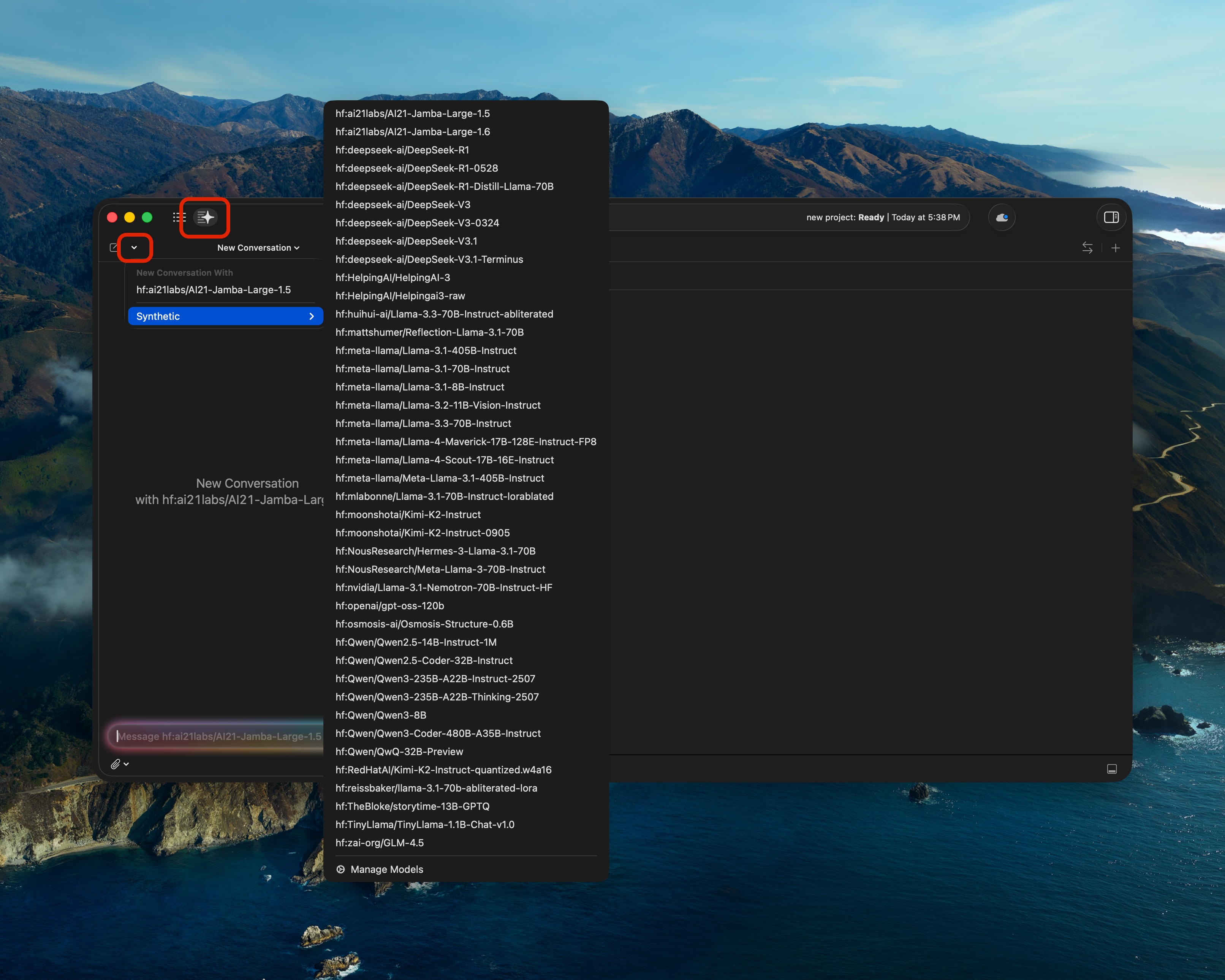
Xcode Intelligence with Synthetic
Synthetic is a fully compatible provider for Xcode Intelligence, new in Xcode 26, enabling context-aware suggestions and completions right in your Xcode workflow!
Version Requirements
Xcode Intelligence is a new feature available in Xcode 26 or later, which requires macOS 26 or later.
Setup
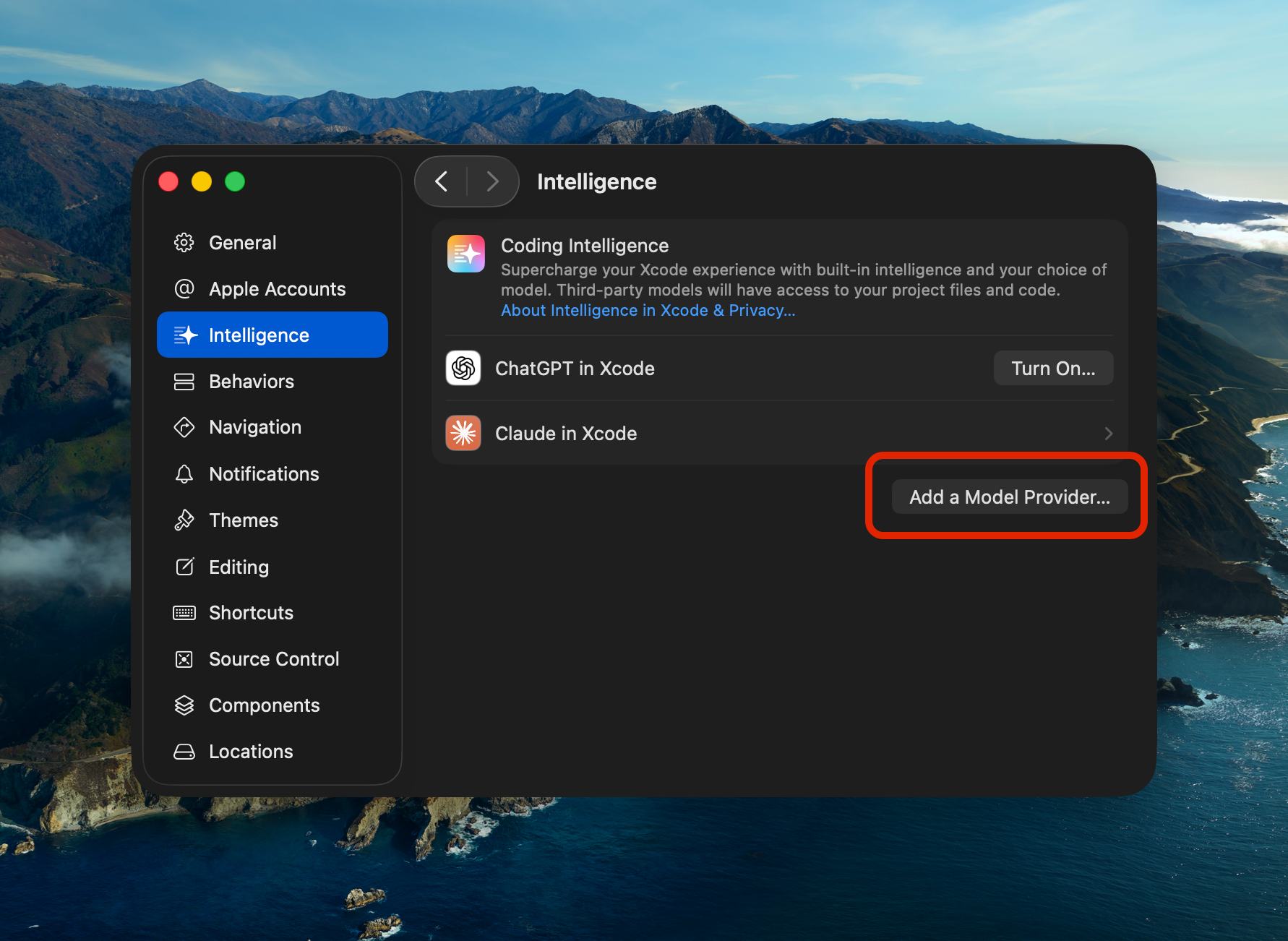
Step 1: Add Synthetic as a Model Provider
First, add Synthetic as a new model provider in Xcode settings:
Step 2: Configure Provider Details
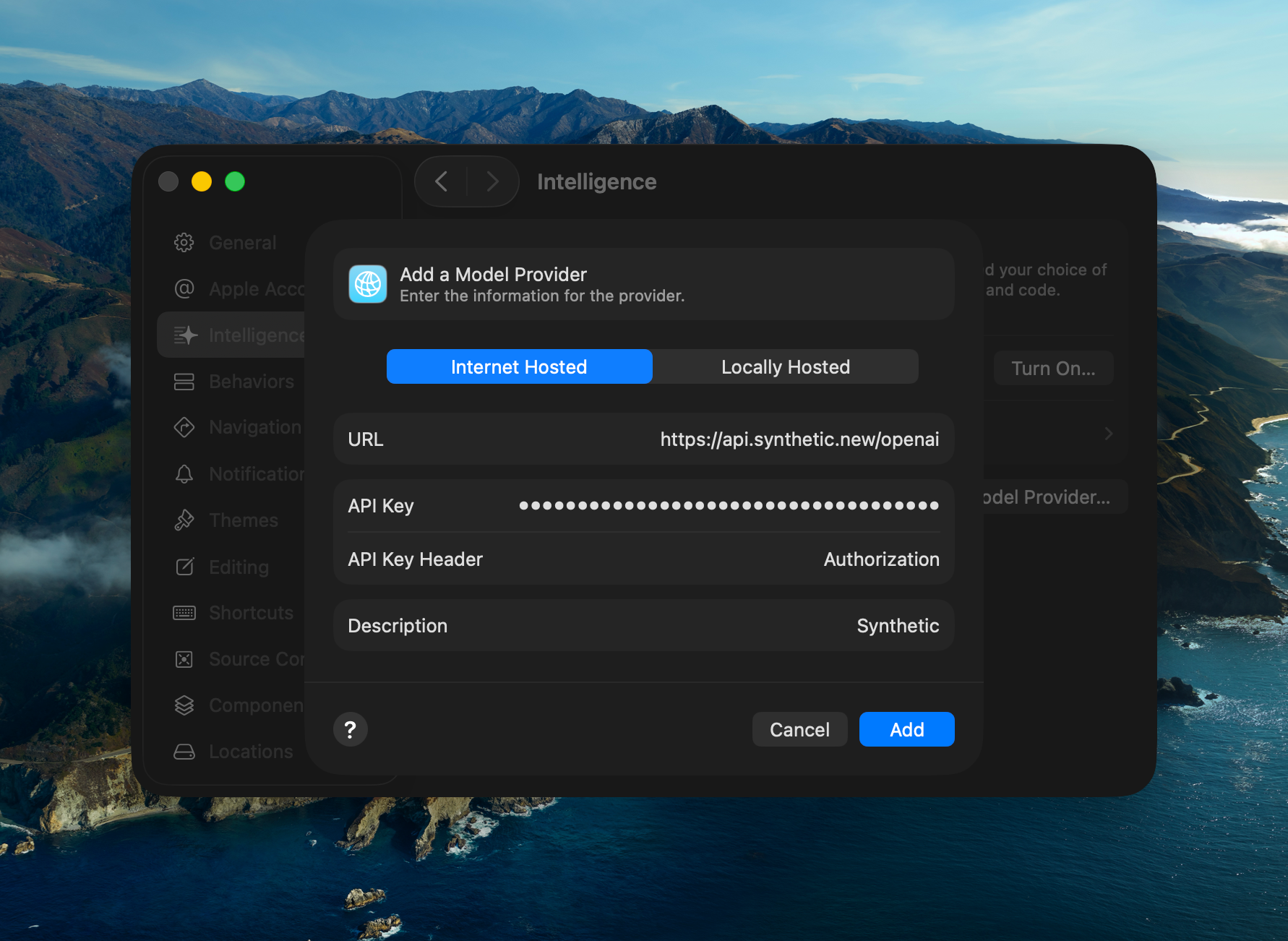
Copy and paste these values into Xcode:
Xcode expects the Base URL without /v1, as shown in the screenshot below.
Xcode requires Bearer to be part of the API key.
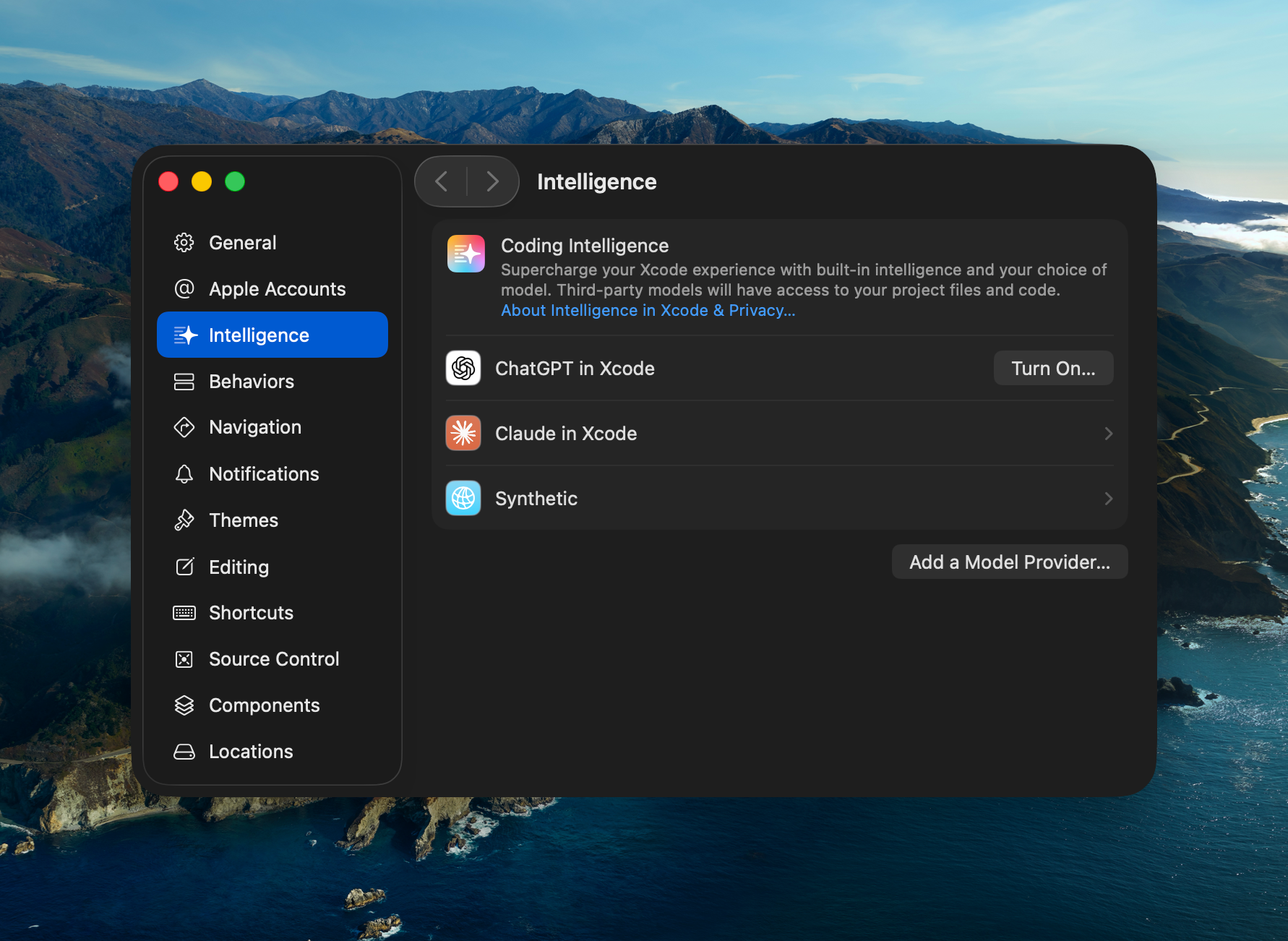
Step 3: Complete Setup
Once you've saved your configuration, Synthetic will appear as an available provider:
Using Xcode Intelligence with Synthetic
After completing the setup, you can use Xcode Intelligence with Synthetic to enhance your development workflow: